

Master Your Cart: Introducing the All-New Custom Shopping Lists Feature on Takora Mart!
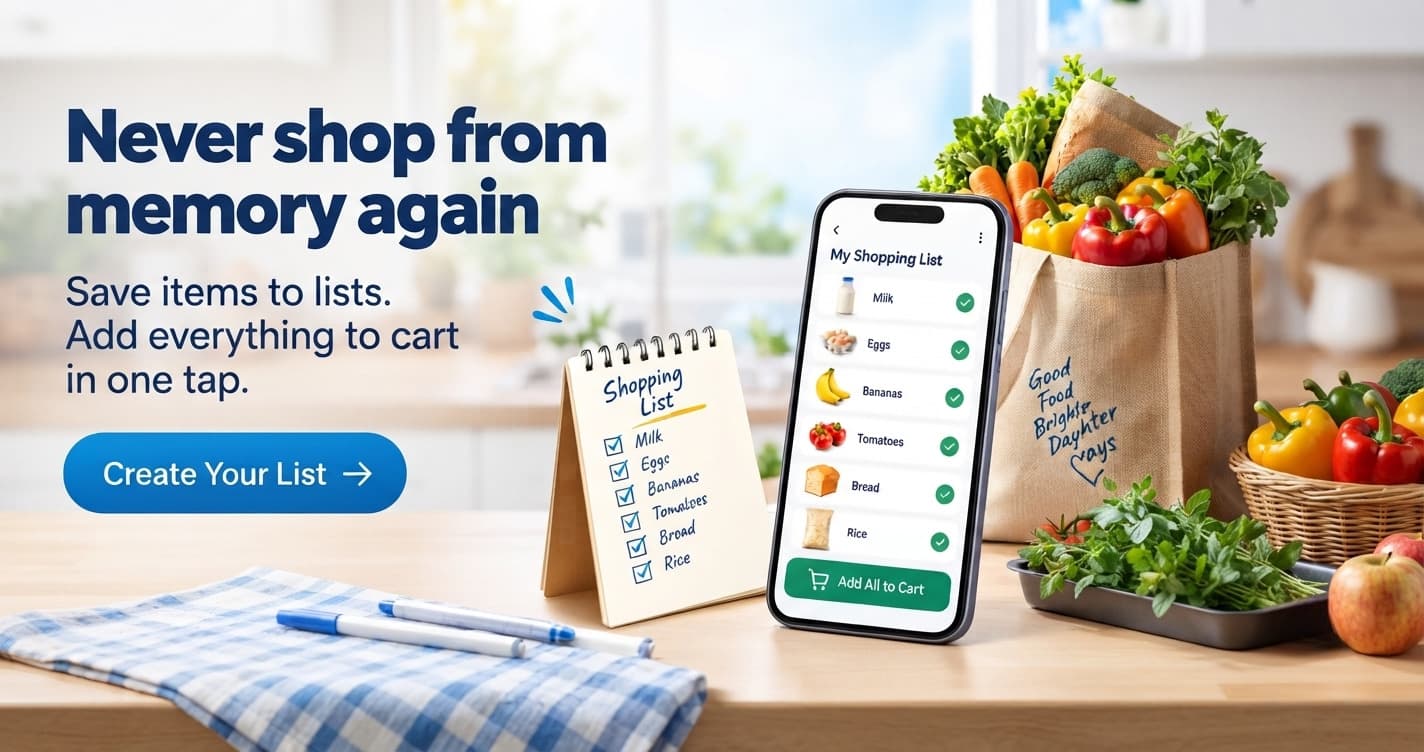
Remember the last time you sat down to plan your household grocery restock, weekly meal prep, or a special weekend get-together? If you are like most people, your process probably looked a little chaotic. You likely found yourself scrawling items down on the back of a discarded receipt, typing a messy, unorganized memo into your phone’s notes app, or mentally juggling a dozen things you needed while pacing back and forth through your kitchen pantry.
Then came the digital hurdle: opening your favorite e-commerce app, searching for item number one, scrolling through pages of options, adding it to the cart, searching for item number two, and praying you didn’t forget that one crucial spice or household cleaning essential before checking out.
At Takora Mart, we believe that online shopping should remove friction, not add to it. We know that your time is valuable, your routines are unique, and your shopping habits deserve a tool built specifically to match them. That is why we are beyond thrilled to roll out our newest, most requested feature: My Shopping Lists.
Designed to let you create, manage, and shop from your lists easily, this new feature is here to completely redefine how you navigate Takora Mart. Whether you are a meticulous meal-planner, a busy parent managing a bustling household, or someone who simply wants to streamline their weekly purchases into a single click, the Shopping Lists feature is your ultimate digital companion.
Let’s take an in-depth dive into why this feature is a game-changer, how it works, and how you can use it to transform your online shopping experience today.
The Evolution of Convenience: Why We Built "My Shopping Lists"
E-commerce has come a long way over the last decade. Gone are the days when online shopping meant scrolling endlessly through static catalogs with no personalization. Today, consumers expect platforms to understand their needs, adapt to their habits, and offer lightning-fast execution.
While traditional shopping carts are great for immediate checkouts, they have a major limitation: they are temporary. Once you check out or clear your cart, your selections vanish. If you buy the same bundle of groceries, cleaning supplies, and personal care items every two weeks, you’ve historically had to hunt down each item from scratch every single time.
Our team at Takora Mart listened closely to user feedback, purchase patterns, and everyday pain points. Time and again, customers told us: "I wish I could save my regular items as a template," or "I want to separate my monthly grocery staples from my weekend party snacks without mixing up my active cart."
The My Shopping Lists feature was born straight out of these conversations. By bridging the gap between long-term planning and instant execution, we have created a seamless ecosystem where your intentions instantly turn into reality.
What Can You Do with Takora Mart’s Shopping Lists?
The new feature isn’t just a simple checklist; it is a robust, dynamic management tool built directly into your Takora Mart account. Here is a breakdown of what you can do:
1. Create Multiple Custom Lists for Every Occasion
Life isn’t one-size-fits-all, and neither is your shopping. With Takora Mart, you aren't restricted to just one generic list. You can create as many distinct lists as you need, tailored to your exact lifestyle:
The Weekly Grocery Run: Keep all your essential staples, fresh produce, dairy, and pantry items grouped tightly together.
Monthly Household Restock: A specialized list for heavy items like laundry detergents, surface cleaners, toilet paper, and bulk items that you only buy once a month.
Festival & Special Occasion Prep: Planning a family get-together, a birthday party, or a seasonal festival? Create a dedicated list for special ingredients, decorations, sweets, and beverages so you never miss a beat.
Health & Personal Care Routine: Keep your favorite shampoos, skincare items, vitamins, and wellness products in one quick-access spot.
2. Effortless List Management
Managing your lists is as intuitive as drafting a quick text message. Found a new brand of organic coffee beans or a snack you want to try later? With a single tap, you can add any product from across Takora Mart’s vast catalog directly into whichever list you choose. Need to update quantities, remove items you no longer need, or rename a list to better reflect your current needs? The clean, user-friendly interface makes organizing your shopping items a breeze.
3. Shop Directly from Your Lists with One Click
This is where the magic truly happens. When you are ready to buy, you don’t need to go through the tedious process of manually transferring items from your list to your active cart one by one. With Takora Mart’s streamlined integration, you can shop straight from your lists.
Review your custom list, make any last-minute adjustments based on current availability or family needs, and move the items straight into your checkout queue with minimal clicks. It turns a 15-minute product hunt into a 15-second breeze.
A Day in the Life: How Shopping Lists Simplify Your Routine
To truly appreciate how this feature changes your daily life, let’s look at a few scenarios where Takora Mart’s Shopping Lists shine:
Scenario A: The Busy Working Professional
Sarah has a hectic corporate job and barely finds time to cook during the week, let alone spend hours browsing an online store. Every Sunday evening, she opens her Takora Mart app, clicks on her "Quick Weekday Dinners" list—pre-loaded with instant noodles, ready-to-cook meal mixes, healthy snacks, and quick breakfast cereals. She reviews the quantities, hits "Shop List," and her entire order is placed in under a minute, scheduled for rapid delivery right to her apartment door by Monday morning. No stress, no missed items, and more time reclaimed for her weekend relaxation.
Scenario B: The Family Meal-Planner
Rahul manages the household grocery budget for a family of four. Shopping for a family means keeping track of complex requirements: specific brands of atta (flour), particular tea leaves, children’s lunchbox snacks, and pet supplies. Instead of relying on memory, Rahul has structured multiple lists on Takora Mart: “Monthly Staples,” “Snacks & Munchies,” and “Cleaning & Household.” Whenever a jar of spice runs low or a detergent pouch is half-empty, he instantly drops it into the corresponding list. When the end-of-the-month restock arrives, his shopping is already 100% pre-planned, preventing impulse buys and ensuring nothing is ever forgotten.
Designed for Speed, Built for Simplicity: The User Experience
At Takora Mart, we pride ourselves on delivering a clean, modern, and lightning-fast digital experience—whether you are using our mobile application on Android or browsing our website on desktop.
The My Shopping Lists feature was engineered with this exact design philosophy in mind:
Zero Clutter: The interface is clean, modern, and visually intuitive. Product images, pricing details, and stock statuses are clearly visible inside your lists so you always know what you are buying.
Real-Time Synchronizations: Create or modify a list on your laptop during your lunch break at work, and it will instantly sync to your mobile app by the time you check your phone on the commute home.
Smart Recommendations: As you build your lists, Takora Mart’s intelligent platform can suggest frequently paired items, ongoing combo deals, or money-saving alternatives, helping you get the best value on every single order.
How to Get Started with "My Shopping Lists" Today
Ready to take total control of your online shopping routine? Getting started takes less than a minute. Here is how you can set up your very first custom shopping list on Takora Mart right now:
Log Into Your Account: Head over to Takora Mart or open the Takora Mart mobile app. Log into your existing account or sign up in seconds.
Navigate to Shopping Lists: Go to your account dashboard or click directly on the new Shopping Lists section.
Create Your First List: Click on the "Create New List" button, give it a personalized name (e.g., “Weekly Groceries” or “Weekend Party Essentials”), and save it.
Add Products as You Browse: As you explore Takora Mart’s extensive categories—from fresh food, grocery, and organic essentials to beauty products, household lifestyle goods, and pet accessories—simply click the "Add to List" option on any product card.
Shop and Relax: Whenever you are ready to buy, head back to your lists page, view your saved items, and check out with total peace of mind.
Elevate Your E-Commerce Experience with Takora Mart
Online shopping shouldn't feel like a chore. It should be effortless, organized, and tailored entirely around your unique lifestyle. With the launch of My Shopping Lists, Takora Mart is taking another massive leap forward in our mission to deliver fast, smart, and customer-first digital commerce.
No more forgotten items. No more re-searching for your favorite daily essentials from scratch. Just clean organization, rapid local delivery, and absolute convenience at your fingertips.
Head over to Takora Mart Shopping Lists right now, build your very first custom list, and experience a smarter way to shop today!